
AI Analytics Assistant
The AI Analytics Assistant is a floating chat widget available throughout the KynectLocal admin. Click the chat button in the lower right corner of any admin page to open it. Ask plain-language questions about your network’s performance and get answers generated from your live Matomo data and location profile scores.
When you’d use this
Section titled “When you’d use this”- Getting a quick summary of how the network is performing this month
- Identifying which locations are underperforming without digging through tables
- Asking follow-up questions about a trend you spotted in Analytics
- Comparing traffic or leads across locations without exporting data
Opening the assistant
Section titled “Opening the assistant”Click the chat bubble icon in the lower right corner of any admin page. The assistant opens as an expanded panel.
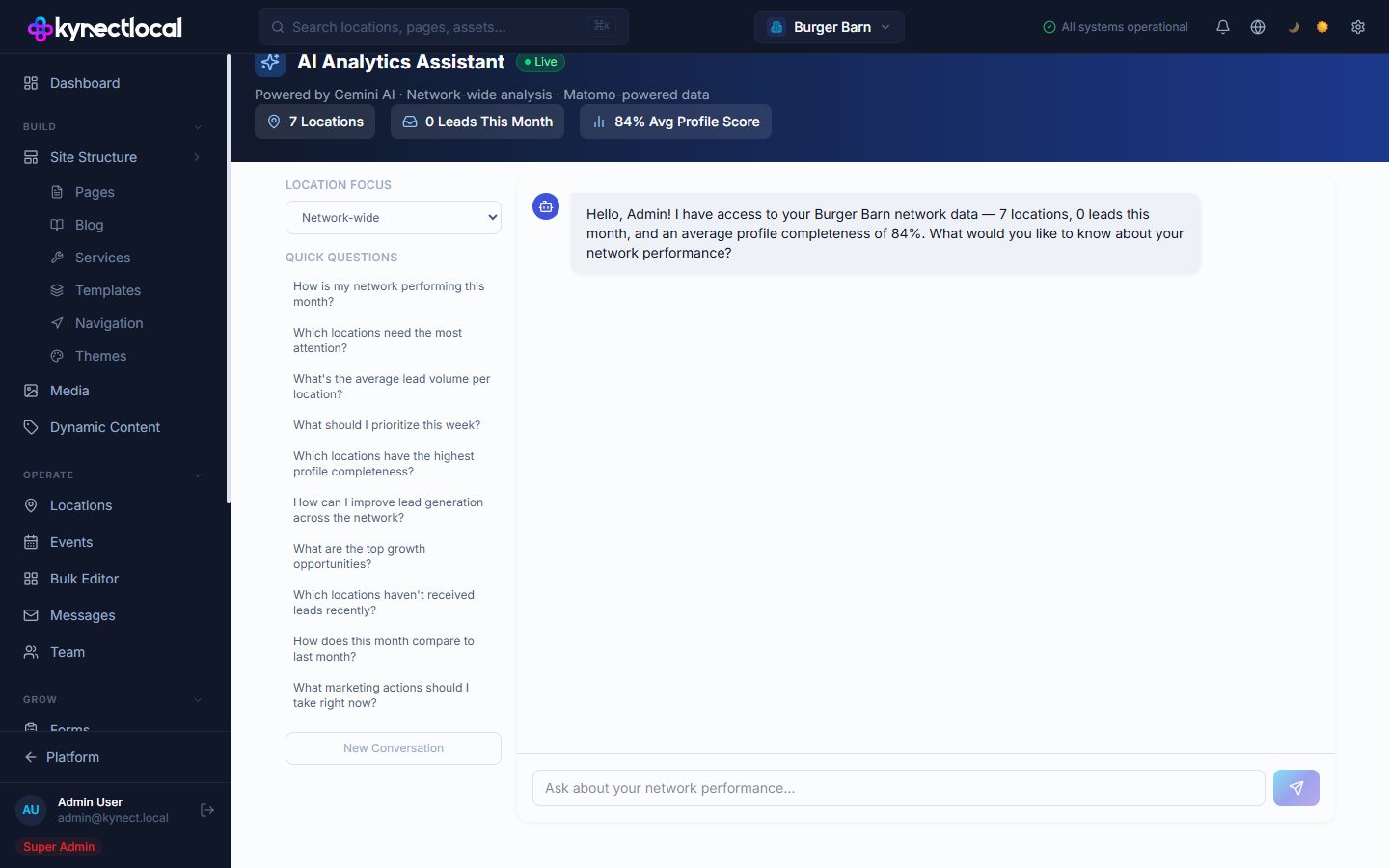
Stats bar
Section titled “Stats bar”At the top of the panel, a summary bar shows current network-level numbers at a glance:
| Stat | Description |
|---|---|
| Locations | Total locations in your network |
| Leads This Month | Month-to-date lead count across all locations |
| Avg Profile Score | Average profile completeness score across locations |
Location Focus and Quick Questions
Section titled “Location Focus and Quick Questions”Location Focus — a dropdown to scope the conversation. Select Network-wide to ask about all locations, or choose a specific location to focus answers on that site’s data.
Quick Questions — ten pre-built prompts you can click to start a query instantly:
- How is our network performing this month?
- Which locations need attention?
- What are our top performing locations?
- How are our leads trending?
- What’s our average bounce rate?
- Which locations have the best conversion rates?
- How is our organic traffic trending?
- What are the most visited pages network-wide?
- How does this month compare to last month?
- Which locations are missing profile information?
Chat interface
Section titled “Chat interface”Type a question in the Ask about your network performance… input and press Enter or click Send. The AI responds with data-backed answers. Click New Conversation to clear the chat and start fresh.
Related
Section titled “Related”- Analytics — explore traffic and conversion data directly in dashboards
- Digital Impact — revenue attribution from your network’s digital signals
- Settings — connect Matomo to enable live analytics data