
Team
For Brands
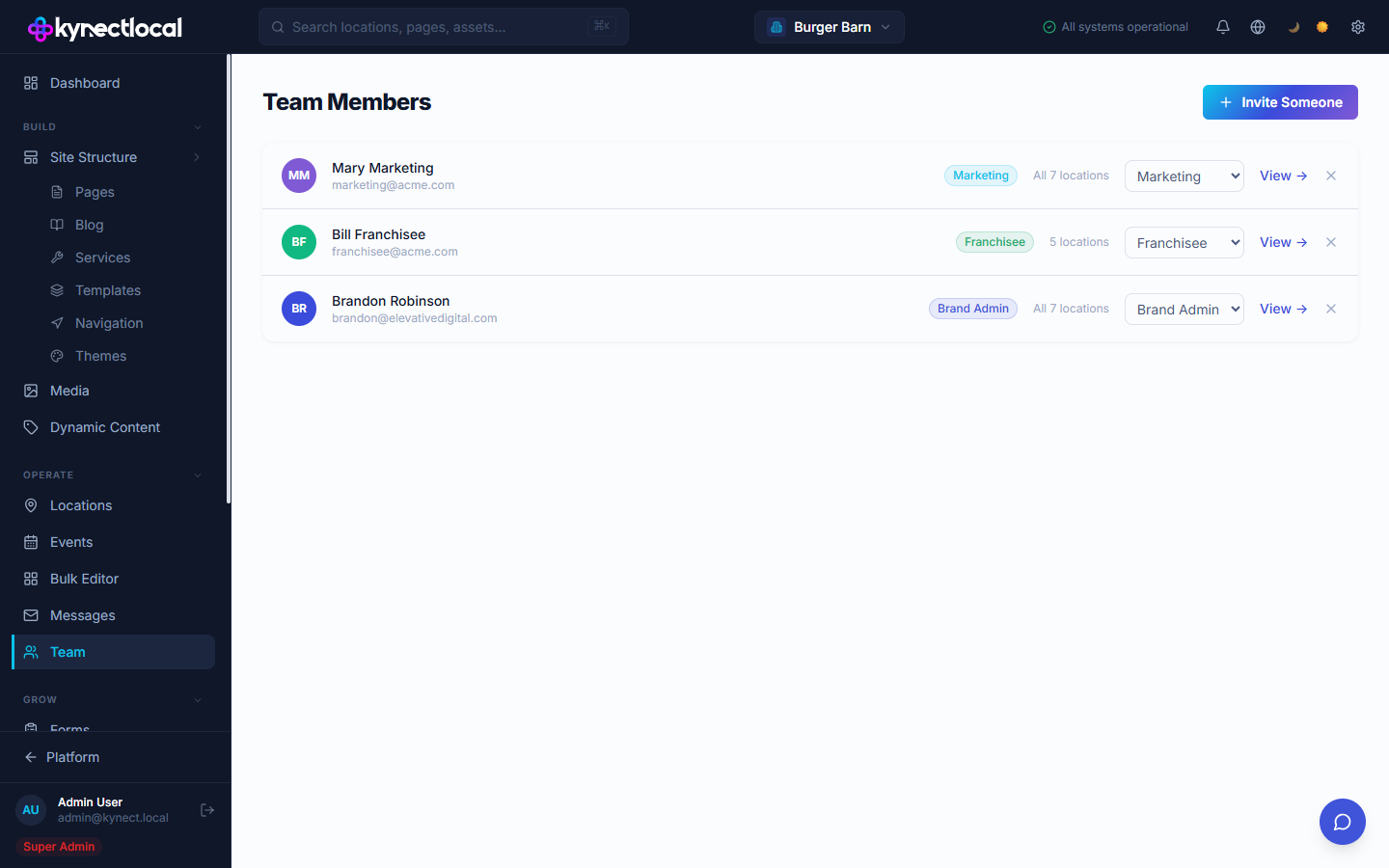
The Team page lists everyone who has access to your brand in KynectLocal. From here you can invite new members, change roles, and remove access.
When you’d use this
Section titled “When you’d use this”- Inviting a new franchisee to manage their location
- Adding a marketing staff member with read-only access
- Removing a team member who has left the organization
- Resetting a user’s password or reactivating a suspended account
The Team Members list
Section titled “The Team Members list”
Go to Operate → Team. Each row shows:
- Name and email of the team member
- Role badge — the user’s current role
- Location scope — how many locations this user can access (e.g. “All 7 locations” or “5 locations”)
- Role dropdown — change the user’s role directly from the list
- View → — open the user’s detail page
- × — remove this user from the brand
| Role | Access |
|---|---|
| Brand Admin | Full access to all brand settings, content, locations, and team management |
| Franchisee | Access limited to their assigned locations only |
| Marketing | Read access across the brand; cannot invite new users |
You can change a user’s role at any time using the dropdown on the Team Members list or on the user’s detail page.
Inviting a team member
Section titled “Inviting a team member”
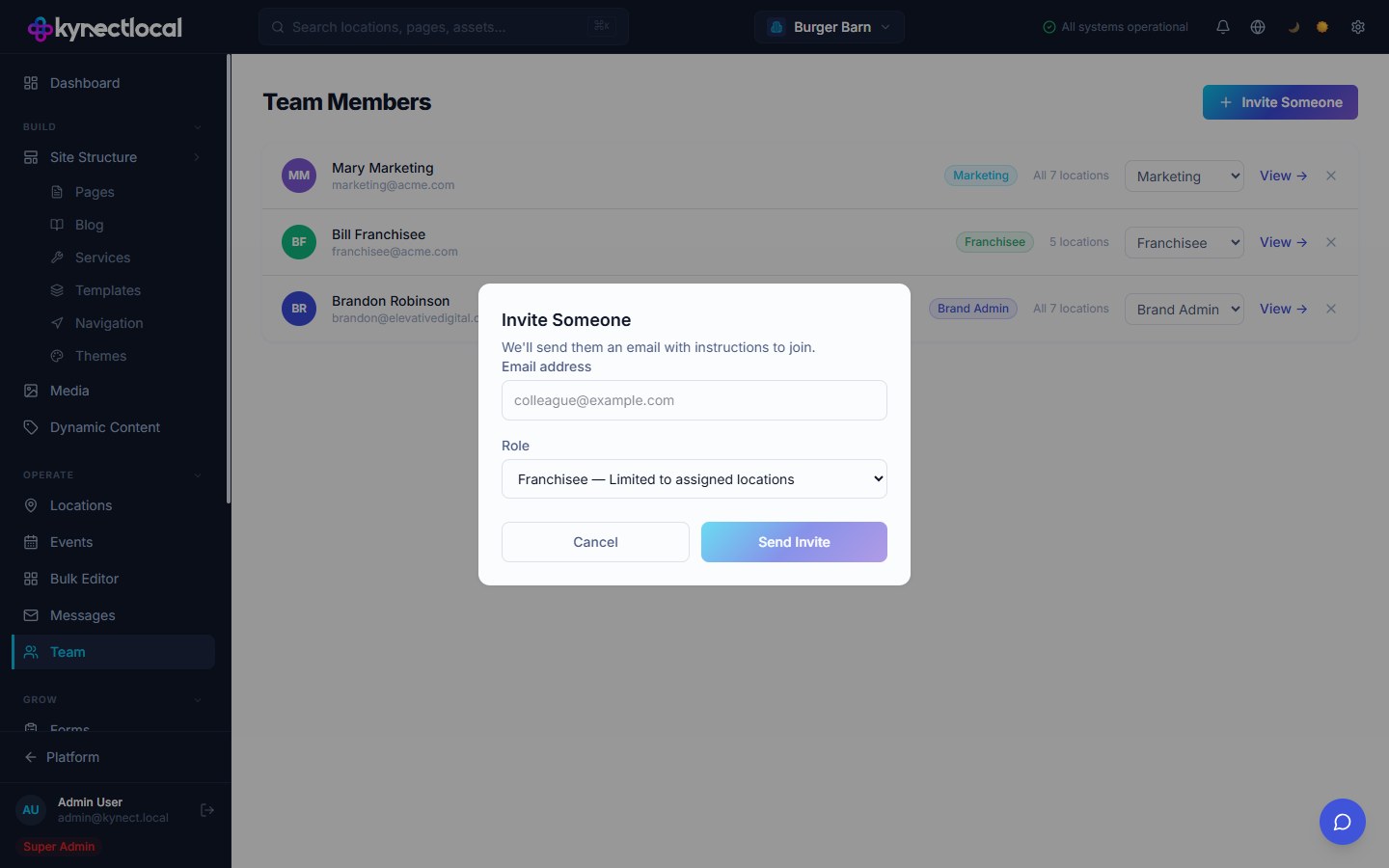
Click + Invite Someone to open the invite dialog. Enter:
- Email address — the person’s email. They will receive an invitation with instructions to join.
- Role — choose one of the three roles above.
Click Send Invite. The invitation is sent immediately.
User detail page
Section titled “User detail page”Click View → on any team member to open their detail page. From here you can:
- See their last login date and member since date
- View and change their Brand Memberships — which brands they belong to, their role per brand, and how many locations they can access
- Use Quick Actions:
- Reset Password — sends them a password reset email
- Reactivate Account — restores access for a suspended user
- Make Super Admin — grants platform-level super admin access (use with caution)