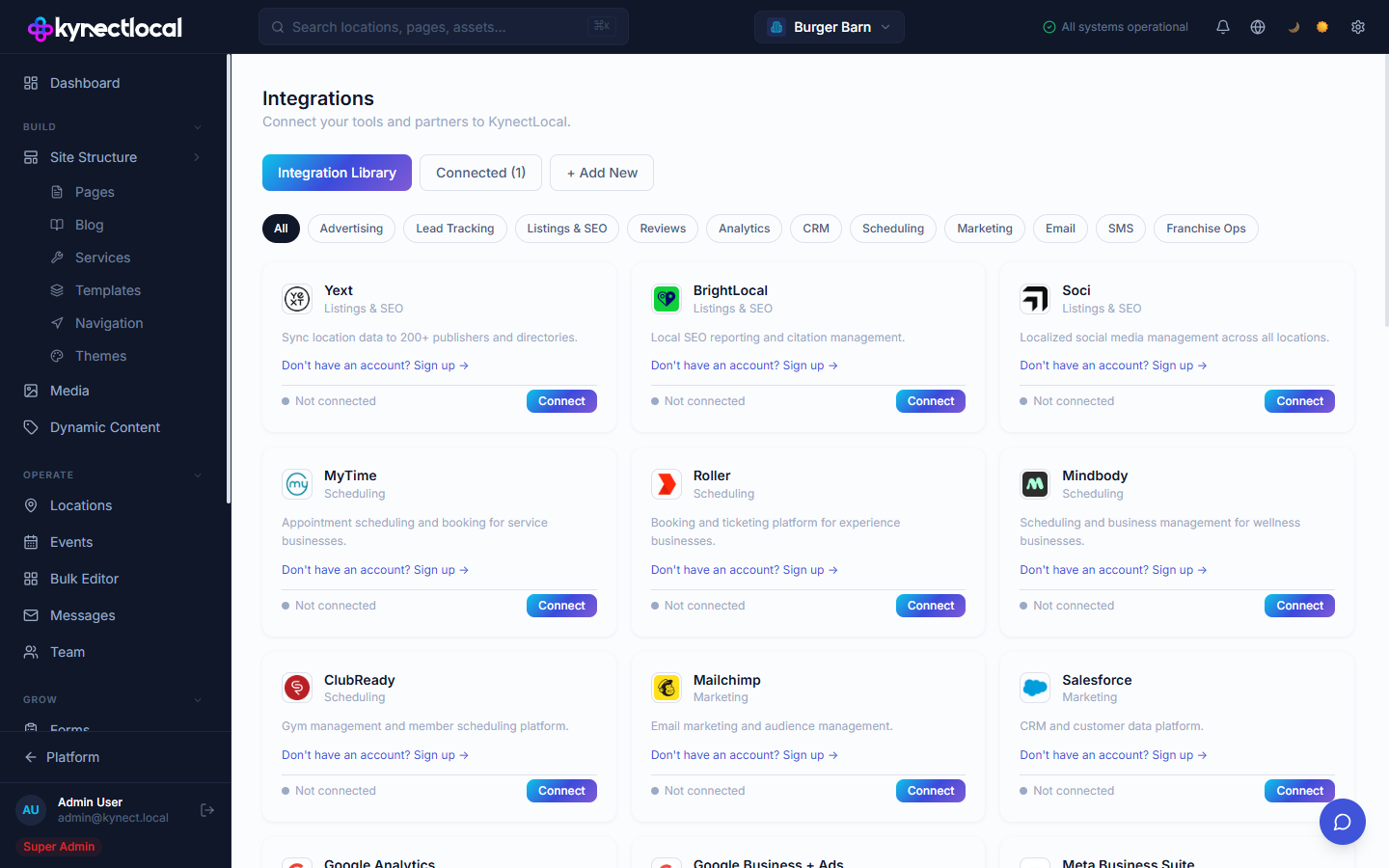
The Integrations page lists every third-party platform that KynectLocal can connect to. Connecting an integration enables data to flow between KynectLocal and the external platform — feeding the Analytics dashboard, Digital Impact report, or location-level features like scheduling and reviews.
The API Keys tab on the Integrations page lets brand admins issue API keys for third-party agencies and custom integrations. Keys give programmatic read access to your brand’s data through the KynectLocal API.
Each key can be:
Scoped to all locations or a specific subset
Given an expiry date for time-limited agency relationships
Rotated to generate a new credential while preserving the key’s settings
Revoked immediately when a relationship ends
See API Key Security for rotation cadence recommendations, incident response steps, and what to do when a key is auto-revoked.
Click Connect on any integration card. Each integration has its own authorization flow — typically OAuth or an API key entry. Once connected, the card shows a Connected badge.
Clicking Manage on a connected integration card opens its detail page. Some integrations have a two-tab layout:
Brand Settings — API key, connection status, sync stats, and recent activity for the brand-level account
Location Settings — a list of all locations with fields to enter per-location API key overrides
The Location Settings tab appears on integrations that support the per-location override pattern (such as Mailchimp and Calendly). When a location has its own key saved, leads push to both the brand account and the location’s account simultaneously.