
Settings
Brand Settings is the central configuration page for your franchise network. It controls your brand name, custom domains, analytics connection, visual identity, contact info used in content tokens, promotions, and network-wide SEO defaults.
When you’d use this
Section titled “When you’d use this”- Setting your brand name or updating your custom domain
- Connecting Matomo analytics to replace sample data in the Analytics dashboard
- Uploading logos or configuring header/footer appearance
- Updating contact info that populates
{{brand.phone}}and other tokens - Creating or editing promotions available to locations
- Setting default SEO fields and schema.org markup for location pages
The Settings page
Section titled “The Settings page”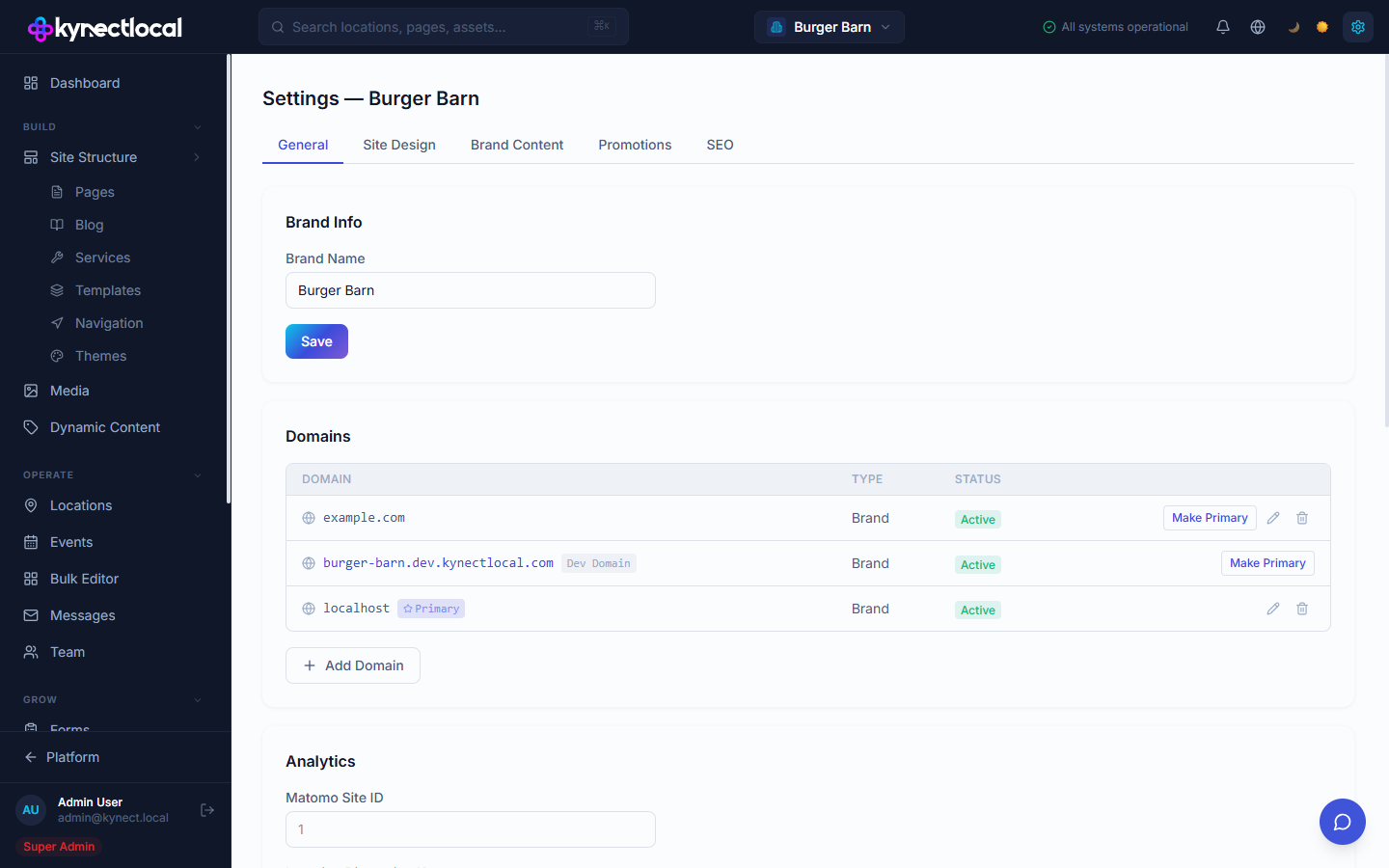
Go to Grow → Settings. Five tabs organize the configuration:
General
Section titled “General”Brand Info
Set the brand name that appears in the admin and in {{brand.name}} token.
Domains
Manage the domains your location sites are served from. Each domain shows its type (Brand), status (Active), and whether it’s the Primary domain. Actions:
- Make Primary — set this domain as the main brand domain
- Edit / Delete — update or remove a domain entry
- + Add Domain — add a new custom domain
Analytics
Enter your Matomo Site ID to connect Matomo and enable real traffic data in the Analytics dashboard. Without this, Analytics shows illustrative sample data.
Site Design
Section titled “Site Design”Configure the visual identity applied to all location sites:
Identity
| Field | Description |
|---|---|
| Logo (light background) | Logo image URL for use on light backgrounds |
| Logo (dark background) | Logo image URL for use on dark headers or backgrounds |
| Favicon | Icon URL shown in browser tabs |
| Brand Tagline | Short tagline used in content tokens and page templates |
Header
| Field | Description |
|---|---|
| Header Style | Sticky (fixed to top) or Static (scrolls with page) |
| Header Background | Background color for the header bar (hex color picker) |
| Menu Item Color | Text color for navigation links (defaults to theme default) |
Brand Content
Section titled “Brand Content”Brand contact information used in page templates, email templates, and schema markup via tokens:
| Field | Token |
|---|---|
| Brand Description | {{brand.description}} |
| Phone | {{brand.phone}} |
{{brand.email}} | |
| Address | {{brand.address}} |
Click Save Contact Info to apply changes. Updated values propagate to all pages using these tokens at render time.
Promotions
Section titled “Promotions”Create and manage promotions available for location-level assignment:
The table lists each promotion with its name, type, status (Active or inactive), number of locations using it, and optional end date.
Click + Create Promotion to add a new promotion. Assign promotions to individual locations from the Locations admin or to multiple locations at once from the Bulk Editor.
Network-wide defaults for schema.org structured data and SEO metadata:
Site Identity
| Field | Description |
|---|---|
| Organization Name | Used in schema.org structured data. Defaults to brand name. |
| Alternate Name / DBA | Optional alternate brand name for schema markup |
| Business Type | schema.org type (e.g. LocalBusiness, Restaurant, HealthAndBeautyBusiness) |
| About Page Slug | URL path for the About page (e.g. /about) |
| Contact Page Slug | URL path for the Contact page (e.g. /contact) |
| Title Separator | Character between page title parts (e.g. ` |
| OG Site Name | Brand name shown in social share previews. Defaults to brand name. |
Location Pages
Default SEO fields applied to all location pages across the network. Supports tokens like {{location.name}} for dynamic values — these resolve to each location’s actual data at render time.
Webmaster Tools
| Field | Description |
|---|---|
| IndexNow API Key | Your IndexNow key for real-time URL indexing with Bing and Yandex (which power Copilot AI search and other AI discovery surfaces). When pages are published or updated, KynectLocal automatically notifies IndexNow-compatible search engines. Get a key at indexnow.org/getstarted. |
LLMs.txt
KynectLocal auto-generates a llms.txt file for your brand — a machine-readable summary of your brand, services, locations, and blog content consumed by AI crawlers.
Click Preview llms.txt to open a modal showing the current output. The preview includes a character count and token estimate (approximately 4 characters per token) so you can see how much AI context your llms.txt is using.
Related
Section titled “Related”- Analytics — connect Matomo here to enable real analytics data
- Dynamic Content — tokens like
{{brand.phone}}are populated from Brand Content settings - Themes — detailed theme CSS customization beyond the Site Design settings
- Locations — assign promotions created here to individual locations
- Bulk Editor — assign promotions to multiple locations at once