
Messages
For Brands
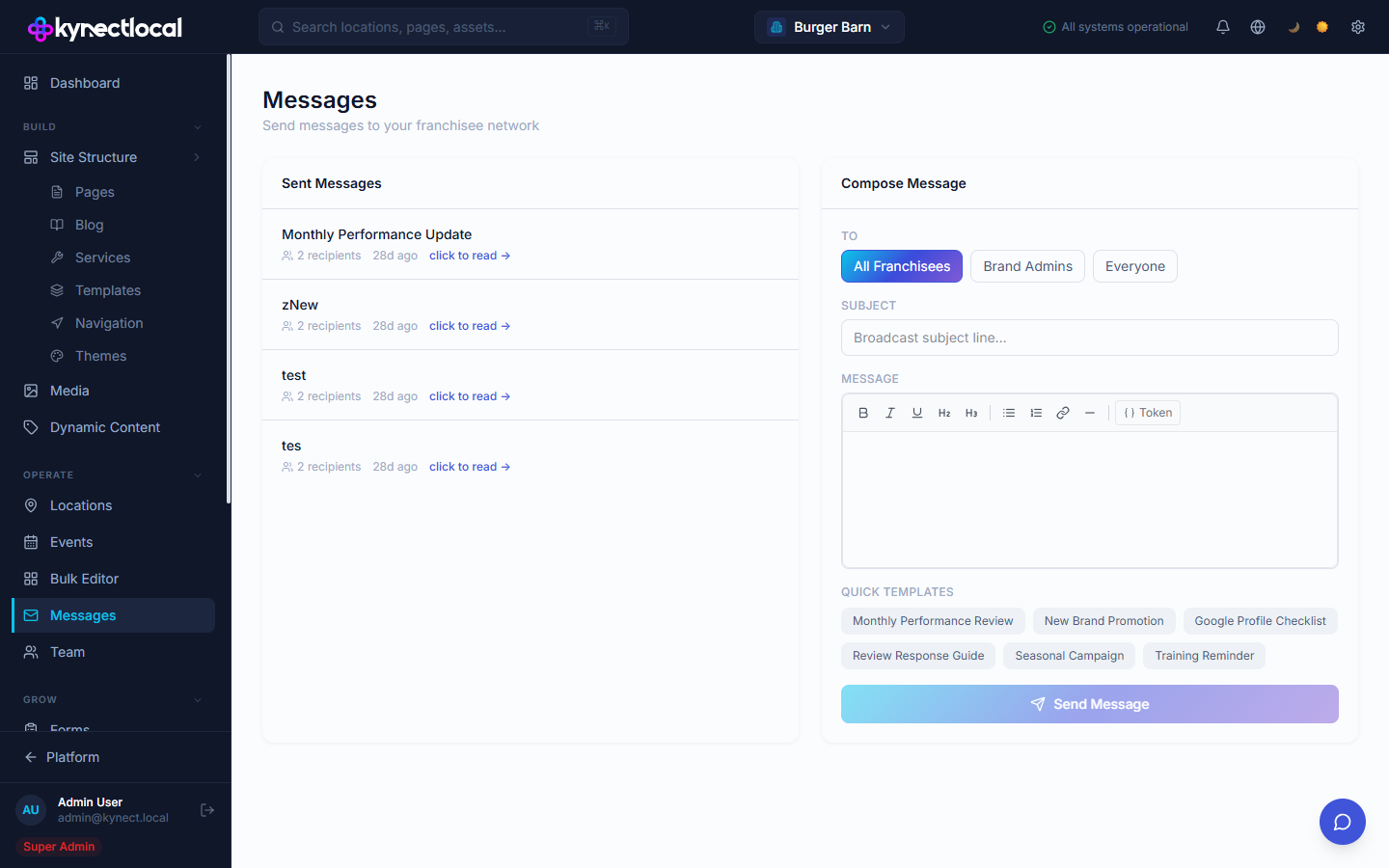
Messages lets you send one-way broadcast messages to your franchisee network. You can address all franchisees, brand admins only, or everyone in the system. Sent messages are stored and viewable as a log.
When you’d use this
Section titled “When you’d use this”- Announcing a network-wide policy change or system update
- Sending a monthly performance summary to franchisees
- Notifying brand admins of an upcoming platform change
- Distributing seasonal campaign briefs or training reminders
The Messages admin
Section titled “The Messages admin”
Go to Operate → Messages. The page is split into two panels:
- Sent Messages — a log of all previously sent broadcasts, showing subject, recipient count, and time sent. Click click to read → on any item to view its full content.
- Compose Message — form to draft and send a new broadcast.
Composing a message
Section titled “Composing a message”Fill in the fields in the Compose Message panel:
| Field | Description |
|---|---|
| To | Audience for this broadcast: All Franchisees, Brand Admins, or Everyone |
| Subject | The message subject line |
| Message | Body content. The editor supports bold, italic, underline, headings, bullet and numbered lists, links, horizontal rules, and content tokens via the Token button |
Quick Templates
Section titled “Quick Templates”Six pre-built templates appear below the message editor. Click any template to load its content into the Subject and Message fields as a starting point:
- Monthly Performance Review
- New Brand Promotion
- Google Profile Checklist
- Review Response Guide
- Seasonal Campaign
- Training Reminder
Edit the loaded content before sending.
Sending
Section titled “Sending”Click Send Message to deliver the broadcast immediately. The message appears in the Sent Messages list once sent.
Related
Section titled “Related”- Dynamic Content — insert location or brand tokens into message body content using the Token button
- Team — manage who has brand admin access and receives admin-addressed messages